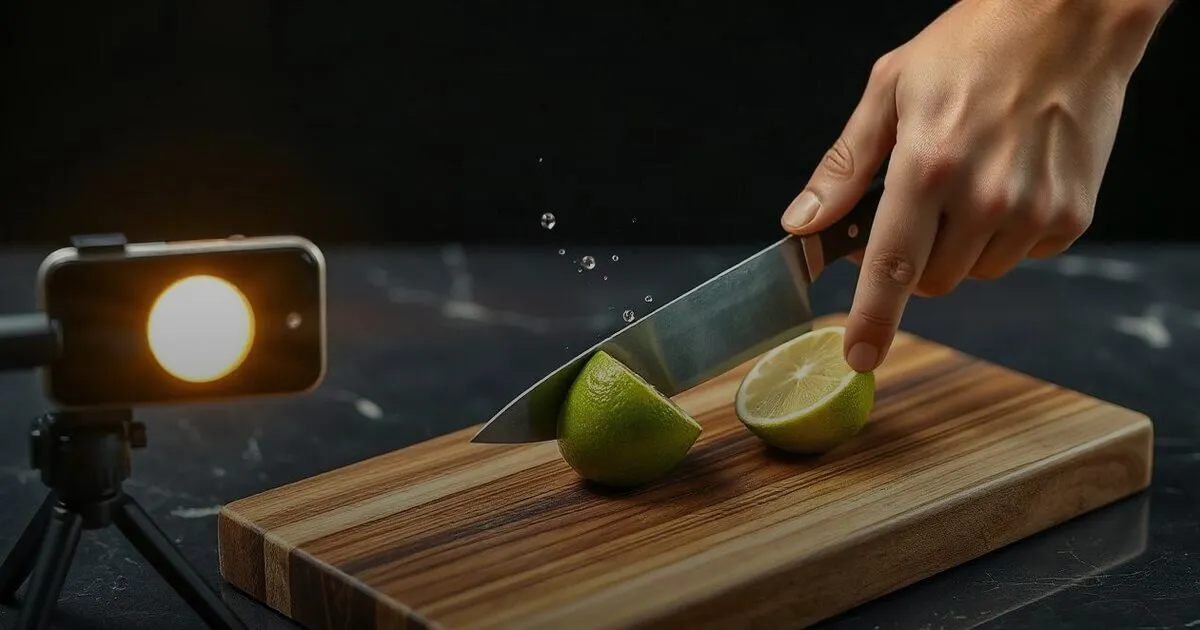
A Sponsored Brands Video plays muted, at thumbnail size, inside a search result the shopper is already comparing, so it has a few seconds to make one product the obvious tap. Brief it to open on the product in use, show the single job it does, read fully without sound, and end on the product. Most underperforming videos are brand films cut down to fit, not bad ads.
Why Sponsored Brands Video Gets Briefed Wrong
Most brands brief a Sponsored Brands Video the way they would brief anything else with the word "video" in it. Someone pulls the launch film, the founder story or the Instagram Reel that did well last month, trims it to fit, and uploads it. The ad gets approved, it serves, and the results come back somewhere between disappointing and unreadable. The usual conclusion is that video does not work on Amazon for this category. The more accurate one is that the video was made for a different place.
A Sponsored Brands Video does not play on a feed where someone is browsing for entertainment. It plays inside a search results page, between the listings a shopper is already comparing, usually on a phone, usually with the sound off, and usually while their thumb is still moving. The person watching typed a product query a few seconds ago. They are not waiting to be told a story. They are deciding which of the things on their screen to tap.
That changes what the video is for. It is not there to build the brand in the way a film builds a brand. It is there to make one product the obvious tap in a crowded result, by showing it doing the job the shopper just searched for, faster and more clearly than a static image can. Every briefing decision follows from that.
What the Shopper Actually Sees in a Search Result
Start from the conditions, not the creative ambition. The video autoplays muted. It sits at a size where fine detail, small text and wide shots of a room all turn to mush. It competes with product thumbnails, prices, ratings and delivery promises all around it. And the shopper gives it a glance, not a viewing. Whatever the video communicates has to land in that glance, without audio, at that size.
Put those conditions next to a typical brand film and the problems are obvious. The opening seconds are spent on a mood shot or a logo, so the glance lands on nothing. The argument lives in the voiceover, which nobody hears. The product appears late and alongside two others, so the shopper cannot tell which item the ad is actually selling. None of this is bad filmmaking. It is good filmmaking for a screen where people chose to watch.

| Briefed as a brand film | Briefed for an Amazon search result |
|---|---|
| Opens on mood, logo or a founder intro | Opens on the product already in use |
| Relies on voiceover or music to carry it | Reads fully with the sound off |
| Several products and claims in one cut | One product, one job, one claim |
| Product appears late, after the story | Product is identifiable in the first frame |
The test we use before anything goes live is simple. Mute the video, shrink it to roughly the size it will play at on a phone, and look at a still from the first second. Can someone who has never heard of the brand tell what the product is and what it does? If not, the first second needs to be reshot or recut, because that is the only second you can count on. This is the same discipline that decides which of the seven listing image slots actually move conversion: the shopper is reading pictures, not copy, and the picture has to carry the point on its own.
A Shot List That Works in a Few Seconds
The videos that perform in this placement tend to share a structure, regardless of category. They open on the product already in someone's hand, already in use, rather than on a slow build towards it. They show the single job the product is bought for, the stain coming out, the blender crushing ice, the serum absorbing, the bag holding its shape when it is packed full. They show the result rather than claiming it. Then they make one point of difference, in a short line of on-screen text large enough to read at thumbnail size, and end on a clean shot of the product so the tap feels like the natural next step.

- Product in hand First frame shows the product, mid-use
- The job Show it doing the one thing it is bought for
- The result What the shopper gets, shown not claimed
- The difference One short on-screen line on why this one
- Pack shot End on the product so the click feels obvious
Two practical notes from briefing these. First, the footage does not need a production house. Creator footage shot on a phone often outperforms polished studio work here, because it looks like the product in a real home rather than an advert, and because a creator who has used the product knows which moment of use is the satisfying one. If you already commission creator content, the raw files almost always contain a usable cut, and repurposing one UGC shoot across placements is usually a better source than a fresh shoot. Second, keep the on-screen text to a single line per beat. Amazon reviews ad creative against its own policies, so avoid unsupported superlatives and claims you cannot substantiate, and check the current specifications in the console before you edit, since length and format requirements are set by Amazon and do change.
"If a stranger cannot tell what the product is and what it does from a muted still of the first second, the video is not ready, however good the rest of it is."
- Brand Integer Marketplace Growth Team
Choosing the SKU, the Targeting and the Landing Page
The format promotes one product at a time, and the choice of which product matters more than most brands expect. Lead with a SKU that already converts well from its listing, has a credible base of reviews and stays reliably in stock. The video earns the click, but the listing still has to close the sale, so pointing good creative at a weak or thin page simply moves the failure one step later. It also helps to pick a product whose benefit is visual. A product that does something you can see in a few seconds is a natural fit. One whose benefit only shows up after weeks of use is a harder brief, and often better served by other formats.
On targeting, start where intent is already narrow: keywords that describe your product type closely and the category terms where shoppers are comparing options. This is where a video's ability to show the product working gives it an edge over the static tiles around it. Broad, upper-funnel terms tend to spend quickly without much to show for it. Your own brand terms are worth covering too, defensively, so a competitor's video is not the first moving thing a shopper sees when they search for you by name.
Keep Sponsored Brands Video in its own campaigns rather than mixed into existing structures, so its numbers are not blended with formats that behave very differently. If your account is not yet structured that way, our breakdown of where Amazon PPC budgets actually go in Indian D2C accounts covers the campaign separation and break-even thinking that should be in place first. Access to the format also depends on what Amazon Brand Registry unlocks for your account, so confirm that is sorted before the creative work starts.
Reading the Results and Refreshing the Creative
The common mistake in reporting is judging the video on the same single number as everything else in the account and switching it off after a fortnight. Compare it against Sponsored Products on the same keywords, over a long enough period to collect meaningful clicks, and look at the shape of the result rather than just the headline cost. A video that wins a higher share of clicks on a contested term, or that brings in shoppers who had not bought from the brand before, can be worth running at a cost of sale that would look weak for a mature bestseller.
When results are poor, check the creative before the bids. A video with a slow open, a product that is hard to identify or a cut that relies on sound will underperform at any bid, and raising the bid only buys more impressions of the same problem. The most useful test is two cuts of the same footage that differ only in the first second, run side by side. It isolates the variable that matters most in this placement and tells you more than any amount of bid adjustment.
Finally, plan for fatigue. Shoppers in a category see the same search results repeatedly, and a video that worked at launch will lose its pull once regular buyers have seen it many times. Brands that treat this as a one-off asset tend to see results fade and blame the format. Brands that brief a small pipeline of cuts from each creator shoot, and rotate them on a regular rhythm, keep the placement working long after the first video has run its course.
Frequently Asked Questions
Do we need Brand Registry to run Sponsored Brands Video on Amazon India?
Yes. Sponsored Brands formats, including video, are available to brands enrolled in Amazon Brand Registry, along with some vendors. Sort out registration before commissioning creative so the video is not sitting unused while the account waits for access.
Can we reuse our Instagram Reels as Sponsored Brands Videos?
Sometimes, but rarely as they are. Reels are usually vertical, rely on sound and open on a hook rather than the product. The raw footage is often usable, recut so the product is visible in the first second, the story reads with the sound off, and the format matches Amazon's current specifications.
How long should an Amazon Sponsored Brands Video be?
Shorter than most brands make them. Amazon sets the allowed length range, so check the console, but the useful part of the video is the first few seconds, because that is all a scrolling shopper reliably sees. Put the product and its job up front and treat everything after as a bonus.
Which product should we advertise with Sponsored Brands Video first?
A SKU that already converts well from its listing, has a credible base of reviews, stays reliably in stock and has a benefit you can see on camera within a few seconds. The video earns the click, but the listing still has to close the sale.